







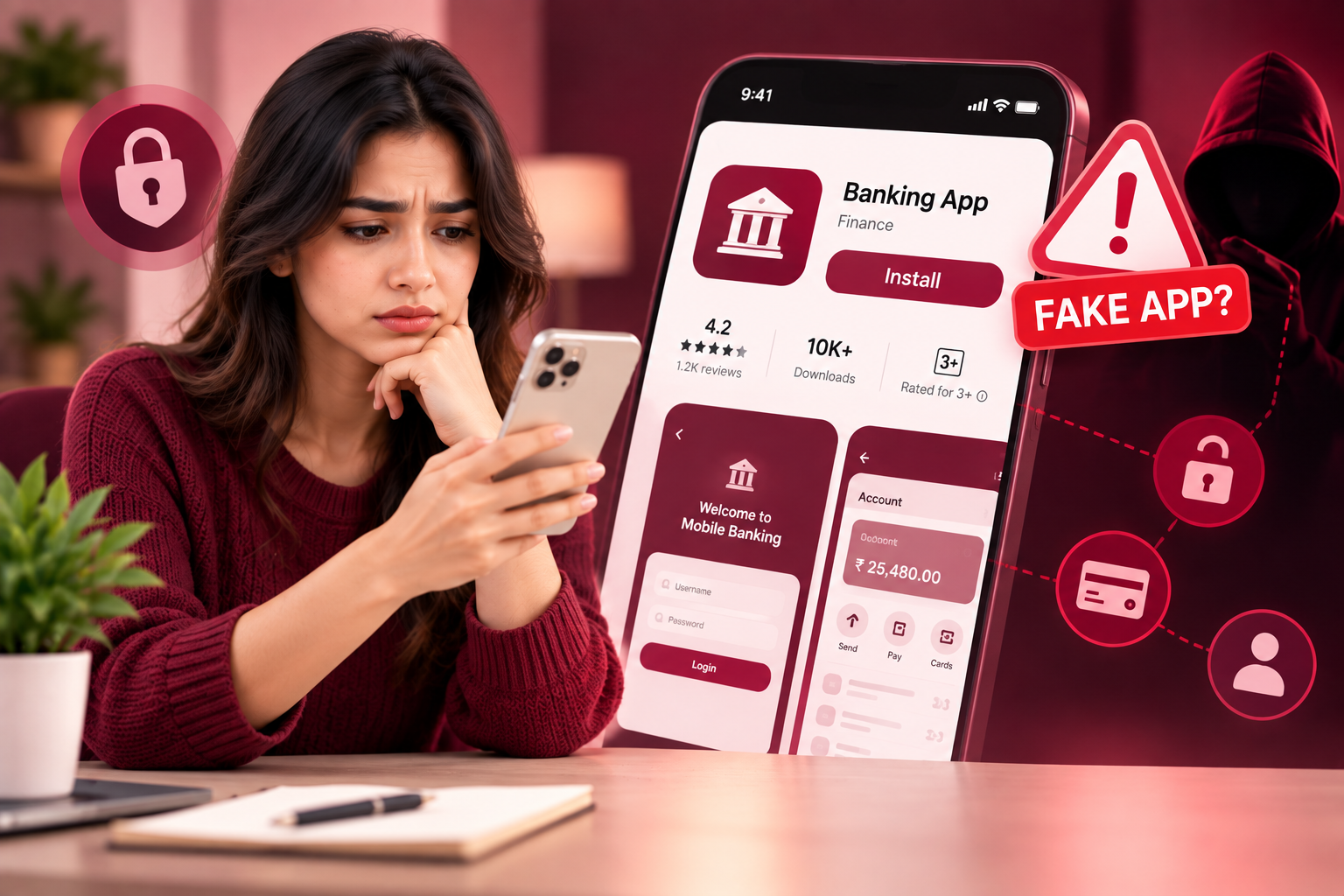
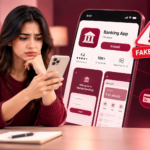
A fake mobile banking app can look almost identical to the legitimate application offered by your bank. It may use the same logo, similar colours, a familiar name, and even a login screen that looks convincing. The goal is usually to make you enter sensitive information such as your username, password, card details, PIN, or one-time password.
The problem is that many people check an app’s appearance but forget to check its source.
A professional-looking banking app does not automatically mean it is genuine.
Before installing any banking application, take a few minutes to verify where it came from, who published it, what permissions it requests, and whether the information matches your bank’s official details.
Why Fake Banking Apps Are Dangerous
A legitimate mobile banking app may provide access to highly sensitive information, including:
- Account balances
- Transaction history
- Personal information
- Card details
- Payment features
- Banking credentials
- Contact information
A malicious app may attempt to collect some of this information by creating a fake login screen or by using other deceptive techniques.
Some apps may also request permissions that have nothing to do with normal banking functionality.
For example, a banking app asking for unnecessary access to your contacts or other sensitive device information should make you stop and investigate.
1. Download the App From Your Bank’s Official Website
One of the safest ways to find your bank’s legitimate application is to start from the bank’s official website.
Instead of searching randomly for the bank’s name in an app store, visit the bank’s official website and look for its mobile banking section.
The website may provide links to the correct application.
This reduces the chance of accidentally selecting an unrelated application with a similar name.
If a banking app was recommended through an unexpected message, advertisement, social media post, or email, do not install it immediately.
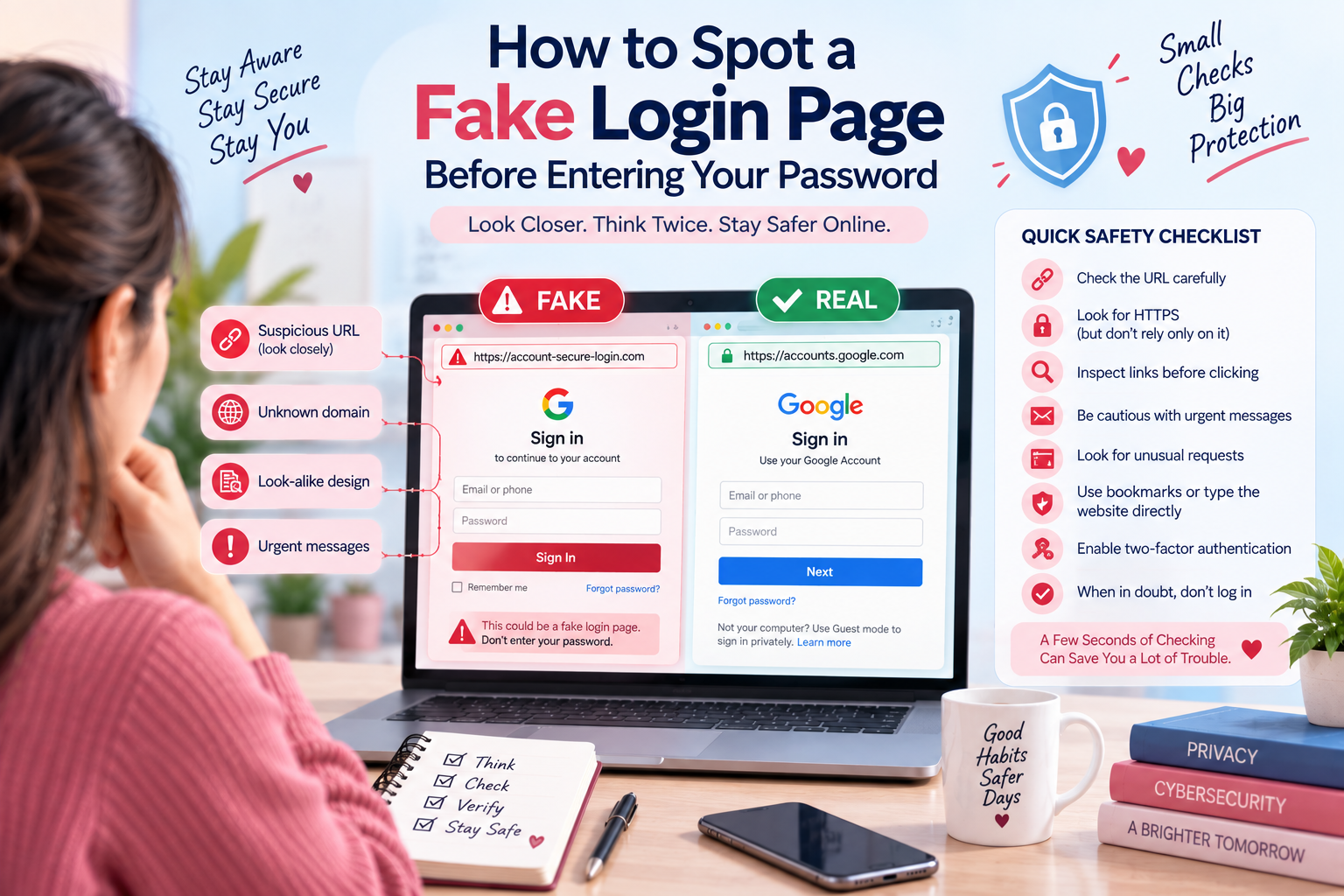
You can also apply the same caution to links that appear in suspicious messages. For more information, see our guide on [How to Spot a Fake Login Page Before Entering Your Password].
Internal link placement: Link the anchor text above to your previously published article on fake login pages.
2. Check the App Developer
Before installing a banking application, check the developer or publisher information.
The official bank should normally be identifiable as the developer.
Be careful if the application:
- Has an unfamiliar developer name
- Uses a random company name
- Has spelling mistakes
- Claims to represent a bank but is published by an unrelated organisation
- Provides very little information about the developer
A convincing app name is not enough.
The developer information is one of the details you should verify before installation.
3. Look Carefully at the App Name
Fake applications often use names that are very similar to legitimate banking apps.
For example, a fake application might add words such as:
- Official
- Secure
- Mobile Banking
- Bank Online
- Banking Pro
- Account Manager
A small difference in the name can be easy to miss.
Check the spelling carefully.
If your bank is called Example Bank, an application called Examplee Bank should immediately raise questions.
Do not assume that a familiar-looking name means the application is genuine.
4. Check the App Logo
Scammers can copy logos from legitimate companies.
That means the logo alone cannot prove that an application is authentic.
Compare the logo with the one shown on your bank’s official website.
Look for:
- Different colours
- Incorrect proportions
- Low-quality graphics
- Slightly altered symbols
- Strange spacing
- Unusual typography
A fake app may copy almost everything correctly but still contain small differences.
5. Look at the Number and Quality of Reviews
Reviews can provide useful clues, although they should not be treated as proof.
Look for unusual patterns such as:
- Many reviews posted around the same time
- Repetitive wording
- Generic five-star reviews
- Recent complaints about suspicious behaviour
- Users reporting login problems
- People saying the app is asking for unusual information
Do not assume that an app is legitimate simply because it has a high rating.
Reviews can be manipulated, and genuine applications can also have negative reviews.
Use reviews as one part of your verification process.
6. Check the Download Count
Download numbers can sometimes provide additional context.
An official banking application that has been available for years may have a substantial user base.
A suspicious application with a very small number of downloads deserves additional scrutiny.
However, download count alone is not enough to prove whether an app is legitimate.
A newly launched legitimate banking app may naturally have fewer downloads.
Use it together with the developer name, website, reviews, and other information.
7. Pay Attention to App Permissions
Permissions are another important warning sign.
A banking app may reasonably need certain permissions depending on its features.
However, be cautious if the application asks for access that seems unrelated to banking.
For example, question why a basic banking application would need extensive access to:
- Contacts
- Microphone
- Camera
- SMS
- Files
- Location
Some legitimate apps may require certain permissions for specific features, so do not judge a permission in isolation.
Instead, ask:
Does this permission make sense for what the app actually does?
If it does not, investigate before continuing.
For more mobile security advice, you can internally link this section to How to Protect Your Phone From Malicious App Permissions.
Internal link placement: Use the anchor text above for your previously recommended cybersecurity article.
8. Be Careful With Banking Apps Promoted Through Messages
You might receive a message saying:
“Your banking app needs an urgent update. Download the new version here.”
Do not automatically click the link.
Unexpected banking messages can be used to redirect people toward fake applications or phishing websites.
Instead, open your bank’s official website or the trusted app store yourself.
This is similar to dealing with suspicious software updates. You can link this section naturally to [How to Spot a Fake Software Update Before Installing It].
Internal link placement: Add the internal link directly to the anchor text above.
9. Check the App Store Listing Carefully
Before downloading, inspect the entire listing.
Look at:
- App name
- Developer
- Description
- Reviews
- Download count
- Screenshots
- Update history
- Contact information
- Privacy information
Do not just look at the first few lines.
A fake application may copy screenshots and descriptions from the genuine application.
The combination of several details is much more useful than any single factor.
10. Watch for Spelling and Grammar Mistakes
Poor spelling can be a warning sign.
Look carefully at:
- App descriptions
- Login messages
- Security warnings
- Buttons
- Error messages
- Permission requests
A banking application from a professional financial institution would generally be expected to maintain consistent branding and communication.
A large number of strange grammatical errors should make you investigate further.
11. Never Trust an App Just Because It Looks Professional
This is one of the most important rules.
Modern fake applications can look surprisingly convincing.
They may include:
- Professional graphics
- Bank logos
- Familiar login pages
- Security messages
- Customer support information
- Fake transaction screens
Visual quality is not proof of authenticity.
Instead, verify the source.
12. Be Suspicious If the App Requests Your OTP
One-time passwords are highly sensitive.
If an application unexpectedly asks you to provide an OTP, stop and understand why.
Never share an OTP with another person simply because they claim to be from your bank.
A scammer may try to combine a fake application with other social engineering techniques to capture authentication information.
If you receive an unexpected login or security message, do not follow its instructions blindly.
13. Check for Fake Security Warnings
Some malicious applications may attempt to frighten users.
You could see messages such as:
“Your account is at risk.”
“Security verification required.”
“Your account will be blocked.”
“Confirm your identity immediately.”
Urgency is a common technique used in scams.
Before taking action, close the application and contact your bank using an official phone number or website.
Do not use a contact number provided by the suspicious app.
14. Keep Your Phone and Apps Updated
Mobile security is not only about identifying fake applications.
Your operating system and legitimate applications should also be kept updated.
Updates can include security fixes and improvements.
However, make sure you obtain updates through trusted channels.
If you receive an unexpected message asking you to download an update from an unfamiliar website, verify it first.
15. Use Your Bank’s Official Contact Channels
If you are unsure whether an application is genuine, contact your bank.
Use:
- The phone number printed on your bank card
- The bank’s official website
- A verified branch
- Official customer support information
Ask whether the application you found is the bank’s legitimate mobile application.
This is much safer than asking an unknown person who contacted you online.
What to Do If You Installed a Fake Banking App
If you think you have installed a suspicious banking application, act quickly.
Step 1: Stop Using the App
Do not enter additional information.
Do not attempt to log in again.
Step 2: Disconnect If Necessary
If the application appears to be behaving maliciously, consider disconnecting the device from the internet while you assess the situation.
Step 3: Remove the Suspicious App
Uninstall the application if it is safe and possible to do so.
Step 4: Contact Your Bank
Use an official contact method.
Tell the bank that you may have interacted with a fraudulent application.
Step 5: Change Your Banking Password
If you entered your credentials into the suspicious app, change your password using a trusted device or the bank’s official website or application.
If you reused the same password elsewhere, update those accounts too.
You can also read How to Secure Your Most Important Accounts First for a broader account-security checklist.
Step 6: Monitor Your Account
Check for unfamiliar transactions or account activity.
If you notice something suspicious, report it to your bank immediately.
Quick Checklist Before Installing a Banking App
Before pressing Install, ask:
? Is this the app recommended by my bank’s official website?
? Is the developer actually my bank?
? Is the app name spelled correctly?
? Does the logo match the official branding?
? Do the reviews look genuine?
? Are the permissions reasonable?
? Does the app listing look professional and consistent?
? Did I receive the download link unexpectedly?
? Is the app asking for unusual information?
? Can I verify the app through my bank’s official channels?
If several answers make you uncomfortable, stop before installing the application.
Final Thoughts
A fake mobile banking app can be difficult to identify because scammers often copy the appearance of legitimate financial applications.
That is why you should never rely on the logo, name, rating, or design alone.
Check the developer.
Verify the source.
Review permissions.
Read the listing carefully.
Be cautious with unexpected messages and urgent security warnings.
Most importantly, download banking applications through trusted channels and verify anything suspicious with your bank directly.
A few minutes of checking can help prevent a much bigger security problem later.
Frequently Asked Questions
How can I tell if a mobile banking app is fake?
Check the developer, app name, official website, reviews, permissions, download information, and app-store listing. The safest approach is to access the application through your bank’s official website or trusted app-store listing.
Can a fake banking app steal my password?
A malicious app may attempt to collect sensitive information through fake login screens or other deceptive techniques. Never enter banking credentials into an application you cannot verify.
Should I trust an app because it has the bank’s logo?
No. Logos and branding can be copied. Always verify the developer and download source.
What should I do if I entered my banking password into a fake app?
Contact your bank using an official channel, change your password through a trusted method, and monitor your account for suspicious activity.
Can a legitimate banking app ask for permissions?
Yes. Legitimate apps may request permissions for specific features. The important question is whether the requested permission makes sense for the feature being used.
Is it safe to download banking apps from advertisements?
It is safer to navigate directly to your bank’s official website or a trusted app-store listing rather than relying on unexpected advertisements or messages.
















????????? ????? https://trip81at.com/
????? https://slon9-at.at/
??????? https://slon7-to.com