







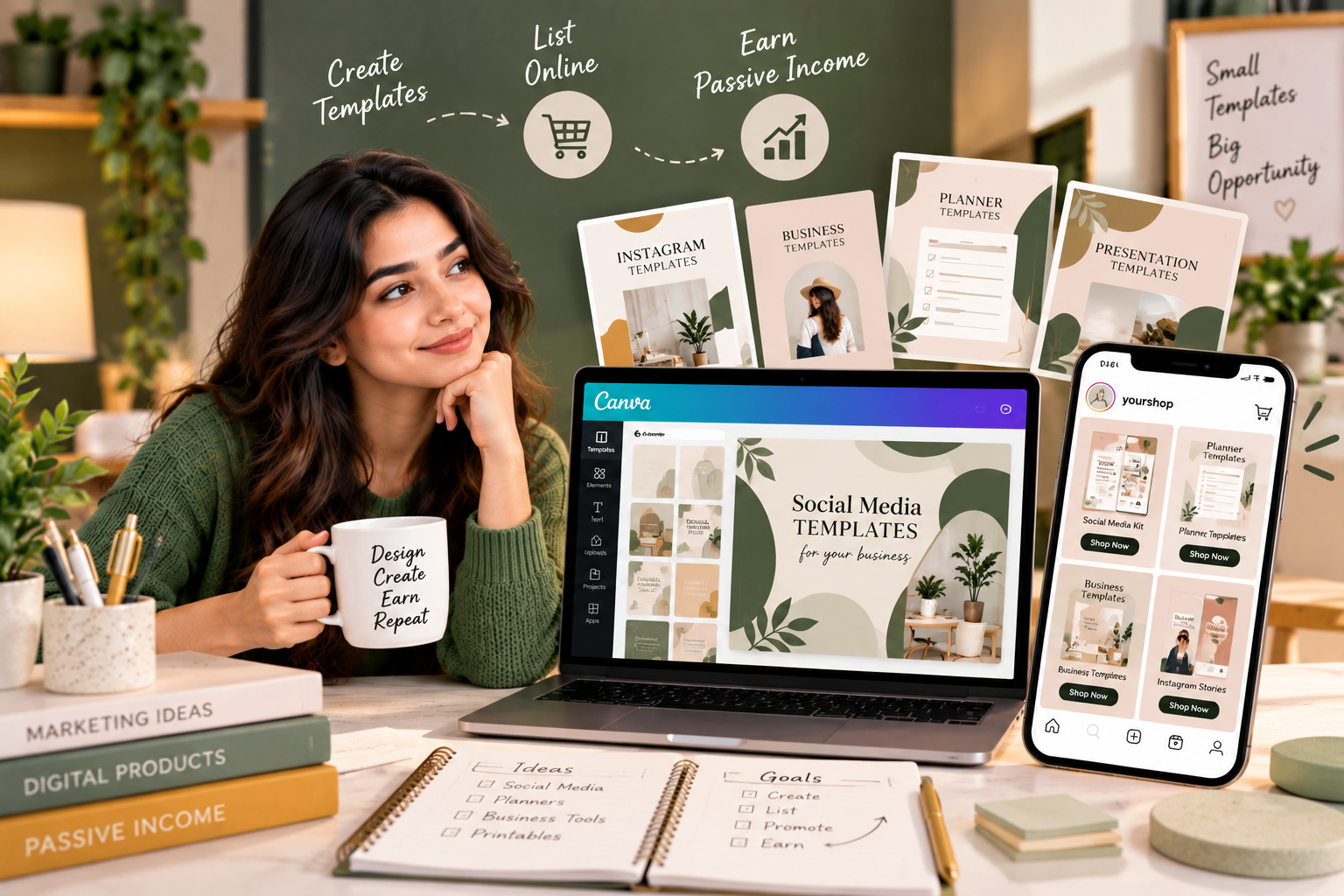
Canva templates for passive income have become a popular way for designers, marketers and creators to turn their skills into digital products. Instead of creating a new design for every customer, you can create a useful template once and sell access to it repeatedly.
The idea is simple.
You create a template, upload it to a platform where customers can purchase it, promote the product, and deliver the template digitally after a sale.
It does require work upfront, and it is not completely passive. You still need to create useful products, answer customer questions, update outdated templates and promote your store. However, digital templates can reduce the amount of work required for each additional sale.
If you already have a design skill, this can be an interesting way to turn that skill into an additional online income stream.
What Are Canva Templates?
Canva templates are pre-designed layouts that customers can customise for their own needs.
For example, you could create:
- Instagram post templates
- Instagram story templates
- Business card templates
- Presentation templates
- Resume templates
- Invoice templates
- Media kits
- Social media calendars
- Pinterest pin templates
- Event invitations
- Ebook templates
- Brochure templates
- Price lists
- Planner pages
- Content calendars
The customer does not have to design everything from scratch.
They can purchase your template, edit the available elements and customise it for their own brand or personal use.
Why Canva Templates Can Work as a Digital Product
Traditional services usually require you to exchange your time for money.
For example, if someone hires you to design 20 Instagram posts, you have to complete those designs for that particular client.
With a digital template, the situation is different.
You create the template once and potentially sell it to multiple customers.
That means the same digital product can generate multiple sales without you recreating the entire design every time.
This is one reason digital products are often discussed as a passive-income opportunity.
For more ideas about turning an existing skill into recurring online income, you can also read [How to Build a Passive Income Stream From One Skill].
1. Choose a Specific Niche
One of the first decisions you need to make is what type of customer you want to serve.
Instead of creating random templates for everyone, choose a specific audience.
For example:
- Real estate agents
- Small businesses
- Beauty salons
- Coaches
- Restaurants
- Photographers
- Fitness trainers
- Freelancers
- Bloggers
- Influencers
- Teachers
- Students
- Event planners
A specific niche makes it easier to understand what your customers actually need.
For example, instead of creating a generic Instagram template pack, you could create:
30 Instagram Templates for Real Estate Agents
That immediately tells potential customers who the product is for.
2. Find a Problem Your Template Can Solve
Do not start with design alone.
Start with the problem.
Ask:
What does my target customer struggle to create?
A small business owner might need:
- Promotional posts
- Sale announcements
- Customer testimonials
- Product launches
- Story templates
- New product announcements
A real estate agent might need:
- Property listing posts
- Open house announcements
- Sold property graphics
- Client testimonials
- Market updates
The more clearly your template solves a specific problem, the easier it becomes to explain its value.
3. Research What People Are Already Buying
Before spending hours designing a template collection, research your market.
Look at online marketplaces and social media to see:
- Popular template categories
- Common product formats
- Typical bundle sizes
- Design styles
- Customer complaints
- Frequently requested features
You are not researching so that you can copy another creator.
Instead, you are looking for gaps and opportunities.
For example, you may notice that many templates are designed for general businesses, but there are fewer options for a particular profession.
That could give you an idea for a more targeted product.
4. Create Your First Template
Once you know your audience and their problem, create the first template.
Focus on:
- Clear typography
- Good spacing
- Consistent design
- Easy editing
- Readable text
- Useful placeholders
- Professional layouts
Remember that customers are buying something they need to customise.
Do not make the design so complicated that changing one sentence breaks the entire layout.
5. Create a Template Collection
One template can be useful, but a collection can provide more value.
For example, instead of selling one Instagram post design, create a pack containing:
- 10 promotional posts
- 10 educational posts
- 5 testimonial posts
- 5 quote posts
- 5 announcement posts
You could then package them as:
35 Social Media Templates for Small Businesses
A well-organised bundle can make the product more useful for customers who need multiple designs.
6. Make the Templates Easy to Edit
Your customers may not be professional designers.
Keep this in mind while creating the product.
Use:
- Simple layouts
- Editable text
- Easy-to-change colours
- Clearly organised elements
- Consistent spacing
Avoid unnecessary complexity.
A beautiful template that is difficult to edit may create customer frustration.
7. Create a Simple Instruction Guide
A small instruction document can make your product feel more professional.
Your guide can explain:
How to Access the Template
Explain how the customer receives the template link.
How to Make a Copy
Explain what the customer should do before editing.
How to Change Text
Give simple instructions.
How to Replace Images
Explain how customers can upload their own images.
How to Download the Final Design
Explain the available download options.
You can also include a short FAQ covering common problems.
8. Choose Where to Sell Your Templates
You have several options for selling digital templates.
You could use:
- Digital product marketplaces
- Your own website
- An online store
- Social media
- Creator platforms
Your choice depends on your audience, budget and technical knowledge.
A marketplace may give you access to an existing audience, while your own website gives you more control over branding and customer experience.
9. Create Strong Product Images
Customers cannot physically touch a digital template.
Your product preview therefore becomes extremely important.
Show potential buyers what they are getting.
Your product images can include:
- Template previews
- Multiple pages
- Different layouts
- Mobile mockups
- Desktop previews
- Before-and-after examples
Avoid filling the product image with too much text.
The design should be easy to understand at a glance.
10. Write a Clear Product Description
Your product description should answer basic questions quickly.
Explain:
What is included?
Who is it for?
How many templates are included?
Can the text be edited?
Can colours be changed?
What format does the customer receive?
How does the customer access the product?
Clear information can reduce confusion before purchase.
11. Create Different Template Packages
You can create multiple products from the same niche.
For example:
Starter Pack
10 templates
Business Pack
30 templates
Complete Pack
60 templates
You could also create specialised products such as:
Instagram Story Pack
Product Launch Pack
Social Media Content Pack
Holiday Promotion Pack
This gives customers different purchasing options.
12. Promote Your Templates on Instagram
Instagram can be particularly useful for showing digital products visually.
You can create content such as:
- Template demonstrations
- Before-and-after designs
- Reels showing template editing
- Carousel previews
- Design tips
- Tutorial videos
- Customer examples
Instead of simply saying:
“Buy my templates.”
show people how the templates solve a real problem.
For example:
“Create a professional Instagram post in under two minutes.”
Then demonstrate the editing process.
13. Use Pinterest and Other Visual Platforms
Depending on your niche, Pinterest can also be useful for digital products.
Create pins showing:
- Template previews
- Design ideas
- Planning resources
- Business templates
- Social media tips
Each piece of content can direct interested users toward your product page.
The key is to create content that is useful even before someone buys.
14. Build a Product Around One Skill
You do not need to know everything about design, marketing, coding and business before starting.
If you are good at one particular type of design, start there.
For example:
Social media design ? Instagram templates
Presentation design ? Presentation templates
Resume design ? Resume templates
Planning ? Digital planners
This approach can make the business easier to manage.
15. Use Customer Feedback to Create New Products
Your first customers can tell you what to create next.
Pay attention to questions such as:
- “Do you have a version for businesses?”
- “Can I get matching story templates?”
- “Do you have a smaller bundle?”
- “Can I get this in another format?”
- “Do you have templates for another platform?”
These questions can become new product ideas.
Instead of constantly guessing what people want, listen to actual customers.
16. Create Seasonal Templates
Some digital products have seasonal demand.
Examples include:
- Christmas templates
- New Year templates
- Valentine’s Day templates
- Wedding templates
- Black Friday templates
- Sale announcement templates
- Holiday planners
- Event invitations
Seasonal products can complement your regular product catalogue.
Just remember to plan them early.
17. Avoid Copyright and Trademark Problems
This is extremely important.
Do not simply copy another designer’s template.
Also be careful when using:
- Brand logos
- Trademarked characters
- Copyrighted illustrations
- Unlicensed photographs
- Fonts with restricted commercial use
Before selling a template, make sure the assets and design elements you use can legally be included in a commercial product.
Read the licensing terms of any third-party assets you use.
18. Automate Your Digital Product Delivery
One major advantage of digital products is that delivery can be automated.
A simple system could look like this:
Customer finds product
?
Customer purchases
?
Payment is confirmed
?
Template access is delivered
?
Customer downloads or opens the template
This means you do not need to manually send every customer their files.
However, check your delivery system regularly to make sure links and files continue working.
19. Keep Improving Your Templates
Passive income does not mean creating something once and forgetting about it.
Templates can become outdated.
Design trends change.
Social media dimensions change.
Customer expectations change.
Review your products periodically.
Update:
- Dimensions
- Instructions
- Preview images
- Template links
- Design elements
- Product descriptions
A maintained product catalogue can provide a better customer experience.
20. Set Realistic Expectations
Selling Canva templates can become an additional income stream, but it is not guaranteed passive income.
You may need to spend time on:
- Product research
- Design
- Marketing
- Customer support
- Product updates
- SEO
- Social media
- Store management
The goal is to build a system where the amount of manual work required per sale becomes relatively small.
That is what makes digital products attractive as a potential passive-income model.
A Simple Canva Template Business Plan
If you want to start small, follow this process:
Step 1: Choose One Niche
Pick a specific customer group.
Step 2: Find One Problem
Identify something they regularly need to create.
Step 3: Create 10–20 Templates
Build a small but useful collection.
Step 4: Package the Templates
Create a clear product bundle.
Step 5: Create Product Previews
Show exactly what customers receive.
Step 6: Set Up Your Store
Choose a suitable platform for selling digital products.
Step 7: Create Promotional Content
Use Instagram, Pinterest, short videos or other relevant channels.
Step 8: Collect Feedback
Learn what customers like and what they want next.
Step 9: Expand the Collection
Create related products for the same audience.
Step 10: Automate Repetitive Tasks
Automate delivery, basic customer communication and other suitable processes.
Common Mistakes to Avoid
Creating Templates for Everyone
A highly general product can be difficult to position.
Focusing Only on Appearance
A template should solve a real problem, not simply look attractive.
Making Templates Difficult to Edit
Customers want convenience.
Copying Popular Designs
Take inspiration from market needs, but create original work.
Ignoring Licensing
Always check whether your fonts, graphics, images and other assets can be used commercially.
Expecting Instant Income
A new digital product may take time to gain visibility and sales.
Creating Too Many Products Too Soon
Start with a focused collection and improve it before expanding.
Final Thoughts
Creating Canva templates for passive income can be a practical way to turn design skills into digital products.
You do not need hundreds of products to begin.
Start with one audience, identify one problem and create a small collection of genuinely useful templates.
Then build a simple selling and delivery system around those products.
Over time, you can expand into related template packs, seasonal products and new niches.
The most important part is to think beyond simply creating attractive designs.
Create something that saves your customer time, solves a problem and makes their work easier.
That is where the real value of a digital template comes from.
Frequently Asked Questions
Can I make passive income by selling Canva templates?
Yes, Canva templates can become a source of digital-product income. However, they are not completely passive because product creation, promotion, customer support and updates may still require ongoing work.
What Canva templates sell well?
Popular categories can include social media templates, business templates, resumes, presentations, planners, invitations and templates designed for specific professions or niches.
Do I need to be a professional designer?
Not necessarily. Basic design skills can be enough to start, but you should focus on creating clean, useful and easy-to-edit templates.
Where can I sell Canva templates?
You can sell digital templates through suitable online marketplaces, your own website, online stores and other digital-product platforms.
How many templates should I create before selling?
You can start with a small collection. A focused bundle of 10–20 useful templates can be enough to test an idea before investing more time in a larger product library.
Can I sell templates made with Canva?
This depends on the specific elements, assets and licensing terms involved. Always review Canva’s current licensing rules and the licences of any third-party assets before selling your templates.
How can I promote Canva templates?
You can promote them through Instagram, Pinterest, short-form videos, content marketing, search optimisation, email marketing and other channels where your target customers spend time.


















I keep the routine outlined in How to Clean AI Text Formatting Fast handy whenever assistants introduce unwanted markdown headers and stray backticks into shared notes. Setting up keyboard shortcuts for plain-text pasting handles most of the cleanup before you even begin manual editing.