




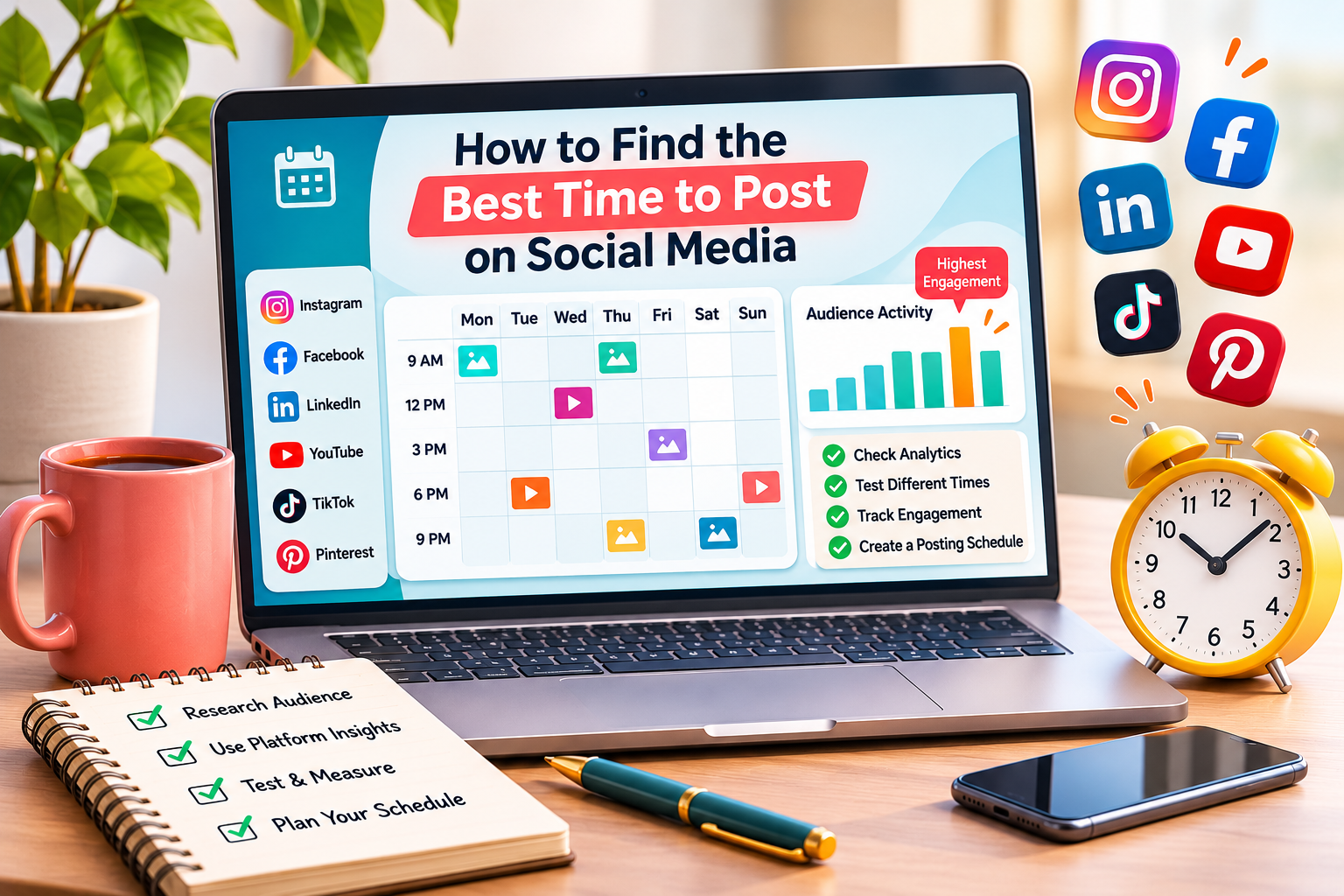
Have you ever published a social media post that received very little engagement, even though you spent hours creating it? The problem may not always be your content. Sometimes, your audience simply isn’t active when you publish. Finding the best time to post on social media can help your content reach more people, attract attention, and create better opportunities for engagement.
However, there is no single posting time that works for every business. Your audience, industry, location, content type, and social media platform all influence when people are most likely to interact with your posts.
In this guide, you will learn how to identify the right posting times, use platform analytics, understand audience behaviour, and build a social media schedule that works for your business.
Why Is Posting Time Important on Social Media?
Social media platforms receive a huge amount of content every day. Your posts compete with updates from friends, creators, businesses, and other brands.
When you publish content at a time when your audience is active, you have a better opportunity to get their attention.
Here are some reasons why posting time matters:
1. Better Content Visibility
Publishing when your followers are online gives them a better opportunity to see your content when they open the platform.
2. More Opportunities for Engagement
If people are actively browsing, they may be more likely to like, comment, share, save, or respond to your posts.
3. Better Audience Interaction
Posting at suitable times can make it easier for your audience to interact with your brand, ask questions, and participate in discussions.
4. More Effective Content Planning
Knowing when your audience is active helps you organise your content calendar and avoid publishing randomly.
5. Better Use of Marketing Efforts
If you spend time creating high-quality content, publishing it when your audience is available can help you make better use of that effort.
Remember, posting time is only one factor. Content quality, relevance, consistency, and audience interest also play important roles.
Is There a Universal Best Time to Post on Social Media?
No. Many online articles share recommended posting times, but these should be treated as starting points rather than fixed rules.
For example, a restaurant may receive more engagement around lunchtime or dinner, while a business selling office software may attract more attention during working hours.
Similarly, a fashion brand targeting young adults may see different engagement patterns from a company offering professional services.
Your ideal posting time depends on:
- Your target audience.
- Their daily routine.
- Their geographical location.
- The social media platform.
- Your industry.
- The type of content you publish.
- The purpose of your post.
Instead of copying another business’s schedule, use its recommendations as a starting point and test what works for your own audience.
How to Find the Best Time to Post on Social Media
You do not need expensive software to identify suitable posting times. Most major social media platforms provide insights that help you understand your audience and content performance.
Follow these practical steps.
Step 1: Understand Your Target Audience
Before checking analytics, understand who you want to reach.
Think about the people who are most likely to be interested in your products, services, or content.
Ask yourself:
- Are they students, working professionals, parents, or business owners?
- Which age group are you targeting?
- Where do they live?
- What time are they usually free?
- Which social media platforms do they use most?
For example, if your audience includes working professionals, they may browse social media during breaks, after working hours, or while travelling.
If you target students, their activity may follow a different routine.
Understanding your audience gives you a better starting point for testing different posting times.
Step 2: Check Instagram Insights
If you manage an Instagram Business or Creator account, you can use Instagram Insights to understand audience activity and content performance.
A simple process is:
- Open your Instagram profile.
- Tap the Professional Dashboard.
- Open Insights.
- Explore the Total Followers or audience section, where available.
- Review the days and hours when your followers are most active.
You can also compare the performance of your previous posts and Reels.
Look at metrics such as:
- Reach.
- Accounts engaged.
- Likes.
- Comments.
- Shares.
- Saves.
- Profile activity.
Do not focus only on likes. A post that receives fewer likes but generates more shares, saves, or enquiries may be more valuable to your business.
Step 3: Use Facebook Page Insights
Facebook provides professional tools to understand how people interact with your Page and its content.
You can use Meta Business Suite to review content performance and manage your publishing schedule.
Check:
- Post reach.
- Engagement.
- Link clicks.
- Video views.
- Audience information.
- Performance of previous posts.
Compare posts published at different times. If your audience consistently responds better during certain periods, test those periods again.
Step 4: Check LinkedIn Analytics
For businesses targeting professionals, decision-makers, and other companies, LinkedIn can be an important marketing platform.
LinkedIn Page analytics can help you understand how your content performs and who interacts with your Page.
Review:
- Impressions.
- Reactions.
- Comments.
- Reposts.
- Clicks.
- Follower demographics.
You can test posting during working days and compare the results. However, do not assume that every professional audience follows the same schedule.
Step 5: Analyse Your YouTube Audience
If you publish videos on YouTube, YouTube Studio provides audience reports that can help you understand when your viewers are on YouTube.
To check:
- Open YouTube Studio.
- Select Analytics.
- Open the Audience tab.
- Find the report showing when your viewers are on YouTube, if available.
This information can help you plan when to publish videos or schedule content.
Remember that publishing time and video performance are not the same thing. The topic, thumbnail, title, video quality, and viewer interest also influence results.
Step 6: Study Your Previous Post Performance
Your existing content can provide useful information about your audience’s behaviour.
Choose around 15–20 recent posts and review their performance.
Create a simple record containing:
- Publication date.
- Publication time.
- Content type.
- Reach.
- Engagement.
- Shares.
- Saves.
- Link clicks, where relevant.
Look for patterns.
For example, you may discover that educational posts receive more saves in the evening, while promotional posts receive more enquiries during working hours.
These observations can help you create a more effective posting schedule.
Step 7: Test Different Posting Times
One of the best ways to find your ideal schedule is through testing.
Instead of changing your posting time every day, choose a few time slots and compare their performance over several weeks.
For example, you could test:
| Test | Posting Time |
|---|---|
| Morning | 8:00 AM |
| Midday | 1:00 PM |
| Afternoon | 4:00 PM |
| Evening | 7:00 PM |
| Night | 9:00 PM |
These are example testing times, not universal recommendations.
Try publishing similar types of content during different time slots. This makes it easier to understand whether timing is influencing your results.
Repeat the test across different days and weeks rather than making decisions based on one successful post.
Best Time to Post on Different Social Media Platforms
Although your own analytics should guide your final schedule, the following periods can be used as initial testing windows.
| Platform | Suggested Testing Windows |
|---|---|
| Morning, lunchtime and evening | |
| Morning, afternoon and evening | |
| Weekday mornings and lunchtime | |
| Evening and weekend periods | |
| TikTok | Afternoon and evening |
| YouTube | Before or around the periods when your audience is active |
These are broad starting points, not guaranteed high-engagement periods. Audience behaviour can vary by country, industry, age group, and content type.
For example, a business targeting customers in Australia should consider Australian audience activity rather than scheduling everything according to Indian time.
How to Choose the Right Posting Days
Timing is not just about choosing the right hour. The day of the week can also influence how people interact with your content.
Different audiences follow different routines.
For example:
- Monday: Useful for educational content, business updates, and weekly plans.
- Tuesday: A good day to test informative posts and industry tips.
- Wednesday: You can experiment with engagement-focused content and short videos.
- Thursday: Suitable for product highlights, useful guides, and business updates.
- Friday: Test entertaining content, offers, and weekend-related posts.
- Saturday: Try lifestyle content, behind-the-scenes posts, and community updates.
- Sunday: Experiment with inspirational, entertaining, or planning-related content.
These are content ideas rather than fixed performance rules. Your analytics should determine which days work best.
How Often Should You Post on Social Media?
Finding the best time to post is important, but you should also consider how frequently you publish.
Posting too rarely can make it difficult to maintain a connection with your audience. On the other hand, publishing too frequently without a clear content plan can affect quality.
Your posting frequency should depend on your resources, platform, and audience expectations.
A simple starting schedule could look like this:
| Platform | Example Starting Schedule |
|---|---|
| 3–5 feed posts per week | |
| 3–5 posts per week | |
| 2–4 posts per week | |
| TikTok | 3–5 videos per week |
| Several fresh Pins per week | |
| YouTube | 1–2 videos per week |
These are suggested starting points, not official platform requirements. Choose a schedule you can maintain consistently and adjust it according to performance.
Tools That Can Help You Find the Best Posting Time
You can use several tools to manage your publishing schedule and analyse content performance.
1. Meta Business Suite
Useful for managing Facebook and Instagram content, scheduling posts, and reviewing available performance insights.
2. Instagram Insights
Helps eligible professional accounts understand follower activity and content performance.
3. LinkedIn Analytics
Provides information about Page performance, audience demographics, and content engagement.
4. YouTube Studio
Helps creators understand viewer activity, video performance, and audience behaviour.
5. Buffer
A social media management platform that helps users schedule content and review performance across supported platforms. Available features depend on the plan.
6. Hootsuite
Offers social media scheduling, management, and analytics features for businesses and marketing teams.
Start with the free analytics tools provided by your social media platforms. Consider paid tools only when your content management needs become more advanced.
Common Mistakes to Avoid When Choosing Posting Times
Even when businesses use analytics, they sometimes make mistakes that affect their social media strategy.
1. Copying Another Brand’s Posting Schedule
A posting time that works for a popular brand may not work for your audience. Always consider your own followers and their behaviour.
2. Focusing Only on Likes
Likes do not tell the complete story. Track shares, saves, comments, clicks, and enquiries according to your marketing goals.
3. Changing Posting Times Too Frequently
If you keep changing your schedule, it becomes difficult to identify reliable patterns. Test a few time slots consistently before making changes.
4. Ignoring Different Time Zones
If your audience is located in different countries, publishing according to your local time may not reach everyone at the right moment.
5. Posting Without a Content Strategy
A good posting time cannot make irrelevant content successful. Your content should answer audience questions, solve problems, entertain, or provide useful information.
6. Making Decisions Based on One Post
One post may perform unusually well or poorly for many reasons. Look for patterns across several posts before deciding on a schedule.
Create a Simple Social Media Posting Schedule
Once you understand your audience and have tested different time slots, create a weekly posting calendar.
Here is an example:
| Day | Content Type | Test Time |
|---|---|---|
| Monday | Educational post | 9:00 AM |
| Tuesday | Short video | 7:00 PM |
| Wednesday | Industry tips | 1:00 PM |
| Thursday | Product or service highlight | 6:00 PM |
| Friday | Customer review | 5:00 PM |
| Saturday | Behind-the-scenes content | 11:00 AM |
| Sunday | Inspirational post | 7:00 PM |
This is only a sample calendar. Replace these times with the periods that perform best for your audience.
You can schedule posts in advance using Meta Business Suite or another social media management tool.
Review the results every few weeks and make adjustments when your audience behaviour changes.
Frequently Asked Questions
What is the best time to post on social media?
There is no single best time for every account. The ideal time depends on your audience, location, platform, industry, and content type. Use platform analytics and test different time slots to identify your best posting periods.
How can I find the best time to post on Instagram?
Open Instagram Insights through your Professional Dashboard and review available follower activity information. Compare it with the performance of your previous posts and Reels.
Is it better to post in the morning or evening?
Both periods can work. Morning posts may reach people checking their phones before work, while evening posts may reach people during their free time. Test both periods to understand your audience’s preferences.
Does posting time affect social media reach?
Posting when your audience is active can create more opportunities for people to see and interact with your content. However, reach also depends on content quality, relevance, platform recommendations, and audience behaviour.
How often should I check my social media analytics?
Review your analytics weekly to understand content performance. A more detailed monthly review can help you identify patterns and improve your posting schedule.
Should businesses post at the same time on every platform?
Not necessarily. Each platform has a different audience and content format. Your Instagram followers may be active in the evening, while your LinkedIn audience may respond better during working hours.
Final Thoughts
Finding the best time to post on social media is not about following a fixed timetable or copying popular brands. It is about understanding your audience and learning when they are most likely to interact with your content.
Start by reviewing your platform analytics, testing different time slots, and tracking the results. Focus on meaningful engagement rather than just likes and views.
With consistent testing and a well-planned content calendar, you can build a posting schedule that supports your social media marketing goals and helps your business connect with the right audience.