







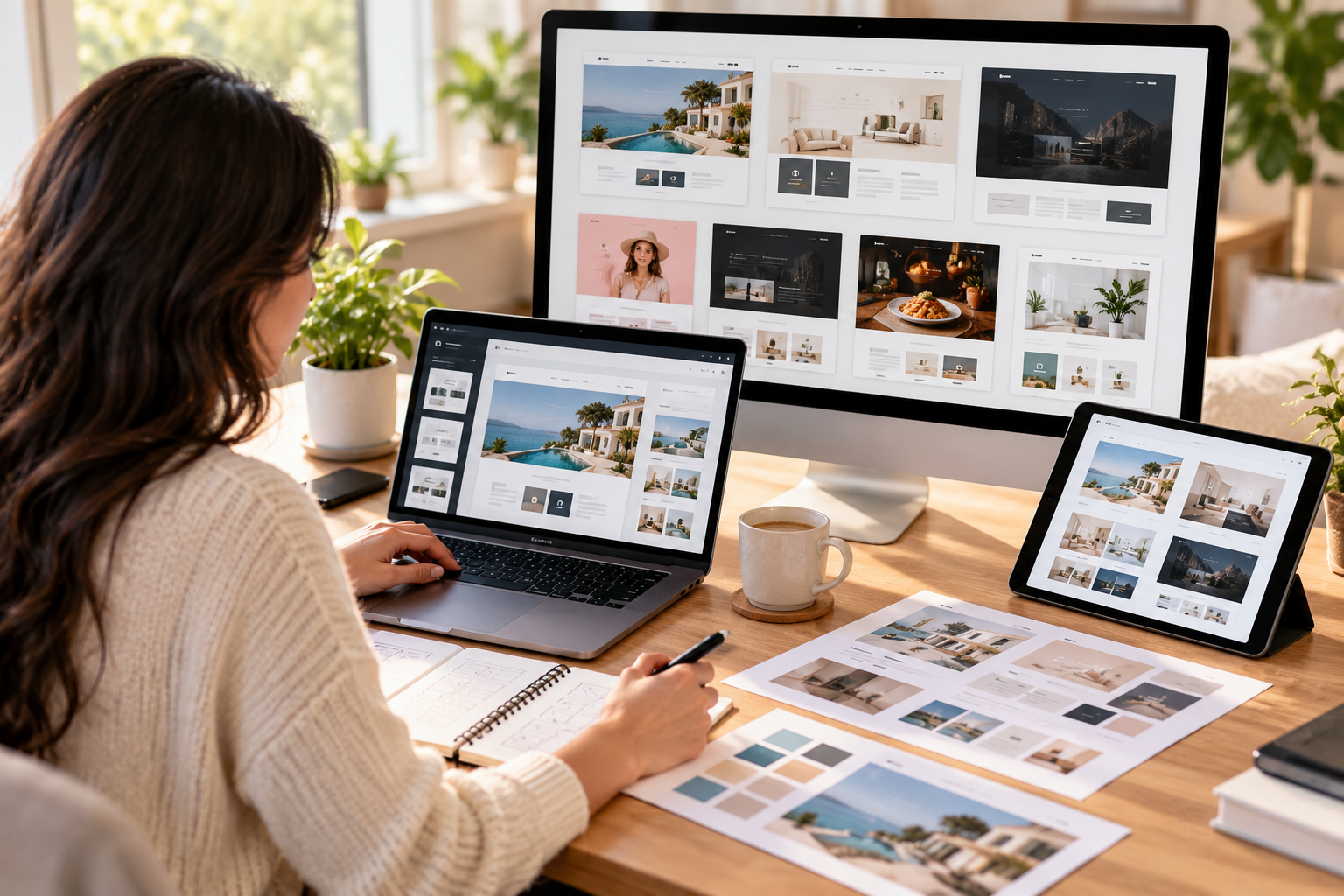
Learning how to sell website templates as a digital product can help designers turn their web design skills into an online income stream. Instead of designing a different website for every client, you can create a reusable website template and sell it to multiple buyers under a suitable licence.
Website templates can include landing pages, business websites, portfolio layouts, blog designs, and online store themes. Buyers use them as a starting point for their own websites, while creators earn by offering designs that save people time and effort.
The best part is that you do not always need advanced coding skills. Depending on the platform you choose, you can create templates using visual website builders or build them with HTML, CSS, JavaScript, and other web technologies.
In this guide, you will learn how to create website templates, where to sell them, how to price your work, and how to turn your designs into a digital product business.
What Are Website Templates?
A website template is a pre-designed website structure that someone can customise for their own needs. It usually includes page layouts, typography, colours, navigation, buttons, images, and reusable design elements.
For example, a template for a local business might include:
- A homepage with a hero section.
- An about page introducing the business.
- A services page explaining what the company offers.
- A contact page with a form.
- A testimonials section.
- A mobile-friendly navigation menu.
Instead of building everything from scratch, the buyer can customise the template with their own text, branding, images, and services.
Website templates are useful for freelancers, startups, small businesses, agencies, content creators, and people who want to launch a website quickly.
Why Sell Website Templates as a Digital Product?
Website templates have several advantages over traditional client-based design work.
1. Create Once and Sell Multiple Times
When you create an original template, you can sell licences to multiple buyers if your product terms allow it. You do not need to redesign the entire product for every order.
2. Work With Your Existing Skills
If you already understand graphic design, website layouts, typography, or user experience, you have a useful foundation for creating templates.
3. Reach Customers Online
A digital product can be sold to customers in different locations without shipping physical goods. Customers can receive access to the template through a marketplace or your own store.
4. Build a Growing Product Library
You can gradually create templates for different industries, such as restaurants, consultants, photographers, coaches, and local service businesses.
5. Develop a Semi-Passive Income Stream
A template may continue selling after its initial creation. However, income is not guaranteed, and you may still need to update the design, answer customer questions, fix bugs, and promote your products.
Step 1. Choose the Type of Website Template You Want to Create
Before designing anything, decide who your template will serve.
A common mistake is creating a generic website that tries to suit every type of business. A focused design is often easier to explain, demonstrate, and market to a specific audience.
Here are some template ideas worth exploring.
Business website templates: Create layouts for consultants, marketing agencies, IT companies, accountants, and other service providers.
Portfolio templates: Design websites for graphic designers, photographers, developers, writers, and creative professionals.
Landing page templates: Build focused pages for apps, product launches, lead generation, and marketing campaigns.
E-commerce templates: Create store designs with product listings, product detail pages, shopping cart layouts, and other relevant store components.
Blog templates: Design readable layouts for bloggers, publishers, niche websites, and content creators.
Industry-specific templates: Consider websites for gyms, salons, restaurants, construction businesses, and real estate professionals.
For your first product, choose a niche you understand. If you regularly design business websites, for example, you could start with a modern template for small service businesses.
Step 2. Choose a Platform to Create Your Website Template
The platform you choose affects how you design the website, what files you deliver, and where you can sell it.
Here are some popular options.
Framer
Framer is a visual website builder that lets creators build websites and publish templates through its marketplace.
It is worth exploring if you prefer modern layouts, responsive design, animations, and a visual editing workflow.
Official links:
Framer supports paid and free templates. Review its current creator guidelines and publishing process before preparing your first product.
Webflow
Webflow combines visual website design with more advanced layout and content-management features. It can be a good choice if you want to create polished business websites or content-rich templates.
Official links:
Webflow requires creators to meet its template submission standards. Check the official submission guidelines before submitting your design.
WordPress
WordPress is a popular option for themes that work with WordPress websites. You can build themes for blogs, business sites, magazines, and other types of websites.
You may create themes using PHP, CSS, JavaScript, and WordPress template files. If you prefer a visual workflow, you can also explore WordPress block themes and supported site-building tools.
Official resources:
The official theme directory is useful for understanding existing themes and WordPress requirements. Review the applicable guidelines before submitting a theme.
HTML, CSS, and JavaScript
If you know front-end development, you can build standalone HTML templates that buyers can customise and host on compatible services.
This approach gives you more control over the source code and the final design. However, you may need to provide setup instructions, browser testing, and technical support.
You can learn the fundamentals from:
Which platform should you choose?
If you prefer visual design and want to avoid extensive coding, start by exploring Framer or Webflow. If you want to create reusable WordPress themes or downloadable source-code packages, learn the relevant development requirements first.
Step 3. Research What Buyers Actually Need
Before spending days on a design, investigate the types of templates buyers are already searching for.
Visit the relevant marketplaces and examine templates in your chosen niche. Look at their layouts, included pages, features, presentation images, and customer feedback where available.
Ask yourself:
- Which industries have several template options?
- What features appear repeatedly?
- What could be improved in existing designs?
- Are the layouts suitable for mobile devices?
- Can buyers customise the template without unnecessary difficulty?
- What would make my template different?
Do not simply copy a popular design. Use your research to identify a real need and create an original solution.
For example, a restaurant template could include a clear menu layout, opening hours, location details, booking links, and a mobile-friendly contact section.
A good template solves a specific problem rather than relying on visual appeal alone.
Step 4. Design Your First Website Template
Once you understand your audience, start designing the website.
You can begin in a design tool or directly in your chosen website builder.
Focus on these essential elements:
Clear structure: Organise the homepage so visitors can quickly understand the business, its services, and the next action to take.
Consistent typography: Use a small, well-chosen type system that keeps headings, paragraphs, buttons, and labels consistent.
Useful colour palette: Choose colours that suit the target industry and maintain good contrast.
Reusable components: Create consistent buttons, cards, navigation menus, testimonials, and other repeating elements.
Responsive layouts: Make sure the template works on desktop, tablet, and mobile screens.
Customisable content: Use clear placeholder content that buyers can replace easily.
Working interactions: Check navigation links, buttons, forms, menus, and other interactive elements.
You do not need dozens of pages for your first product. A polished homepage, about page, services page, and contact page can be enough for a small business template, depending on the target audience.
Step 5. Make Your Template Easy to Use
A beautiful design is not enough if customers struggle to customise it.
Organise your layers, components, styles, page names, and files logically. Remove unused sections and replace confusing placeholder content with clear instructions.
Include a short setup guide that explains:
- How to access or duplicate the template.
- How to change colours and fonts.
- How to replace images and text.
- How to update links and buttons.
- How to configure forms or other features.
- How to publish the finished website.
If the platform supports reusable components, use them where appropriate. This makes common updates easier for the buyer.
You can also include a short walkthrough video to help customers understand the template without contacting you for every small change.
Step 6. Test the Template Before Selling It
Do not publish your template immediately after finishing the visual design.
Test it across different screen sizes and browsers. Check for layout problems, missing assets, broken links, and inconsistent spacing.
Use this checklist before launch:
- Homepage and included pages load correctly.
- Mobile and tablet layouts work properly.
- Navigation and buttons lead to the correct destinations.
- Forms are configured or clearly marked as requiring setup.
- Images are optimised and properly licensed.
- Headings and body text are easy to read.
- Placeholder content has been removed or clearly identified.
- Setup instructions are complete.
- The template licence explains permitted use.
- The demo website works correctly.
If you include third-party plugins, fonts, stock photos, icons, or other assets, check whether their licences permit commercial redistribution in a template.
Never assume that an asset you can use in a client website can automatically be redistributed as part of a product.
Step 7. Choose Where to Sell Your Website Templates
After testing your template, decide where customers will find and purchase it.
1. Framer Marketplace
The Framer Marketplace lets customers discover templates made by creators. You can explore its creator programme to learn how to list products.
Framer’s published creator information states that creators keep the revenue from paid marketplace template sales. Review the current terms and payment arrangements before publishing.
2. Webflow Marketplace
The Webflow Marketplace offers free and paid website templates.
You can apply to become a template creator and submit original work for review. Webflow also documents ways to distribute approved templates outside its marketplace using fulfilment links. See its official template submission guidelines.
3. ThemeForest
ThemeForest is a marketplace for website themes and templates, including products for different content-management systems and front-end technologies.
It may suit creators who develop downloadable HTML templates, WordPress themes, and other supported website products.
Read the ThemeForest help centre and its current author requirements to understand the submission, licensing, and selling process.
4. Your Own Website
You can also sell website templates through your own online store. This gives you more control over your branding, product pages, customer relationships, and promotions.
You will need a way to accept payments, deliver files or access links securely, and handle customer support. You are also responsible for attracting visitors to your store.
If you use a marketplace, you may benefit from its existing audience. With your own store, you have greater control but usually need to invest more effort in marketing.
Step 8. Set a Price for Your Template
Your pricing should reflect the value of the product, the amount of work involved, the features included, and the prices of comparable templates.
Consider these factors:
- Number of included pages.
- Design quality and originality.
- Responsive behaviour.
- Custom components or interactions.
- Documentation and support.
- Target customers and their budgets.
- Platform fees and payment costs.
For a first product, you could test a simple pricing structure with a basic template and a more complete version that includes additional pages or resources.
For example, you might offer a starter version with essential pages and a premium version with extra layouts and a detailed setup guide. These are product packaging ideas, not guaranteed pricing recommendations.
Do not price your template only by counting the hours spent creating it. Buyers are paying for the time it saves them and the usefulness of the final product.
Step 9. Create a Product Page That Converts Visitors
Your product page should help buyers understand what they are purchasing before they pay.
Include:
A clear product name: Explain the type of template and its intended audience.
High-quality previews: Show the homepage, inner pages, and mobile layouts.
A live demo: Let visitors explore the design and interactions before buying, where your platform supports it.
A feature list: Mention the included pages, components, responsive layouts, and supported features.
Compatibility details: Explain which platform or technology is required.
Clear licensing terms: State how many websites the buyer can use it for and whether redistribution is permitted.
Support information: Explain how buyers can ask questions and whether updates are included.
Avoid exaggerated claims such as guaranteed sales or guaranteed business growth. Describe the actual features and benefits of your product.
Step 10. Promote Your Website Templates
Publishing a template is only the first step. Buyers need to discover it.
Here are several ways to promote your work.
Share Design Previews on Pinterest
Create pins showing the homepage, colour palette, mobile layout, and useful features. Link each pin to the product page or live demo.
Post Design Walkthroughs on Social Media
Share short videos showing how the template works, how its sections fit together, and how a buyer can customise it.
Build a Portfolio Website
Create a dedicated page for your templates, with live demos, screenshots, feature lists, and purchase links.
Publish Helpful Blog Content
Write articles that answer questions your potential buyers are already asking. For example, a post about choosing a website layout for a small business can naturally introduce a relevant template.
Offer a Free Sample
A free template or a small collection of free components can help people discover your design style. Check the platform’s terms and use the free product to guide interested users towards your paid offerings without making the free version misleading.
How Much Can You Earn by Selling Website Templates?
Your earnings depend on the price, number of sales, marketplace fees, taxes, refunds, and ongoing costs.
For illustration, imagine you sell a template for ?2,000.
| Monthly sales | Gross revenue before costs |
|---|---|
| 5 | ?10,000 |
| 10 | ?20,000 |
| 25 | ?50,000 |
| 50 | ?1,00,000 |
These are hypothetical calculations, not earnings forecasts. Actual sales may be lower, irregular, or nonexistent, especially when you are starting.
You should also account for payment processing, platform commissions where applicable, software subscriptions, taxes, customer support, and updates before estimating profit.
The most sustainable approach is to create useful products, learn from customer feedback, and improve your catalogue over time.
Common Mistakes to Avoid
Copying Existing Templates
Copying another designer’s work can create copyright and marketplace compliance problems. Research the market, but develop your own layouts, components, branding, and product identity.
Ignoring Mobile Design
A template that looks good only on a desktop may disappoint buyers. Test common screen sizes before publishing.
Selling Without Documentation
Clear setup instructions reduce customer confusion and make your product easier to use.
Using Unlicensed Assets
Fonts, photographs, icons, illustrations, and plugins may have restrictions on redistribution. Check the relevant licence before including them in a downloadable template.
Expecting Immediate Passive Income
A template can sell repeatedly, but discovery and sales take time. Continue improving the product, responding to feedback, and promoting your work.
Offering Too Many Features in the First Version
A large template with many pages can take longer to test and maintain. Start with a focused product, then expand when you understand what buyers need.
Frequently Asked Questions
Can beginners sell website templates?
Yes. Beginners can start with a visual website builder or learn the basics of HTML and CSS. Focus on one type of customer and create a simple, well-tested template before moving to more complex projects.
Do I need coding skills to sell website templates?
Not always. Platforms such as Framer and Webflow support visual website creation. Coding skills are useful for standalone HTML templates, WordPress themes, and advanced custom functionality.
Where can I sell website templates online?
You can explore the Framer Marketplace, Webflow Marketplace, ThemeForest, and your own online store. The best option depends on your template format, platform requirements, audience, and business goals.
Can I sell the same template more than once?
Usually, you can sell multiple licences for an original template if the marketplace rules and your product licence allow it. Make sure your product is original and that all included assets can legally be redistributed.
Are website templates a passive income source?
They can become a semi-passive income stream because one product can generate multiple sales. However, templates still require marketing, customer support, bug fixes, compatibility checks, and occasional updates.
What type of website template should I create first?
Choose a niche you understand and can design well. A focused template for a small business, portfolio, consultant, or service provider is often a manageable first project.
Conclusion
Learning how to sell website templates as a digital product gives designers and developers another way to earn from their skills. Instead of relying entirely on one-to-one client projects, you can create reusable designs that customers purchase and customise for their own websites.
Start by choosing a clear niche, selecting a suitable platform, designing a responsive template, and testing every important feature. Then publish it on an appropriate marketplace or sell it through your own store.
You do not need a huge catalogue to begin. One useful, original, well-documented template is enough to start learning what buyers want. Improve it with feedback, build related products, and treat your template business as a long-term project rather than a guaranteed source of quick income.


















Thanks for explaining healthy-looking nails for anyone researching nail health.
Thanks for explaining protecting nails at the gym in a clear and practical way.
Thanks for explaining safe nail trimming for making informed decisions.
This is a helpful overview of nail texture changes.
I like how this discusses nail changes over time without overcomplicating it.
This article gives a balanced introduction to following treatment instructions.
Thanks for explaining nail fungus prevention before symptoms become more bothersome.
Helpful explanation of hyperarousal and stress with details worth discussing with a qualified professional when needed.
Helpful explanation of the effects of ongoing stress in a balanced way.
Helpful explanation of healthy breathing habits for everyday readers.
Thanks for explaining healthy-looking nails as part of a regular routine.
Helpful guidance on taking care with sweaty feet.
Helpful explanation of healthy breathing habits in a simple way.
The advice about over-the-counter nail products is easy to understand.
Thanks for explaining safe nail trimming in a clear and practical way.
Thanks for explaining the role of daily hygiene before trying a new treatment.
Helpful explanation of the connection between sleep and stress and gives readers a good starting point.
Thanks for explaining healthy-looking nails alongside good hygiene practices.
This is a useful resource for learning more about toenail discoloration.
Thanks for explaining when to consult a dermatologist before symptoms become more bothersome.
Thanks for explaining moisture and foot health without jumping to conclusions.
Helpful explanation of the fight-or-flight response and why it matters for wellbeing.
This is a good reminder that nail texture changes deserves attention.
Helpful explanation of healthy coping strategies without overpromising quick results.
Helpful explanation of magnesium and normal nerve function for anyone wanting to learn more.
The practical focus on sleep and focus is appreciated.
This gives a helpful framework for thinking about digestive enzymes and gas.