








Most of us use Email-service to send data and files to our friends. If we want to send some confidential information to someone such as Bank detail, Credit card numbers, we use E-Mail services. It may not be secure to send directly without any encryption or password protection. This insecure situation gives a big chance to Hackers. If someone hack our mail ID, they can misuse the particular details.

To avoid this insecure situation you can send confidential information to the particular person through “Lockbin”.
Lockbin provides password protection and AES-256 bit encryption to Emails.
How to send password protected Emails using Lockbin
Fill the form (Your name, Password, etc..)
In the text field, write your confidential information details. If you want you can attach files too.

Then click on Submit button.
Now password protected mail will be sent to the particular person, only the particular person will get the link to read your password protected mail.
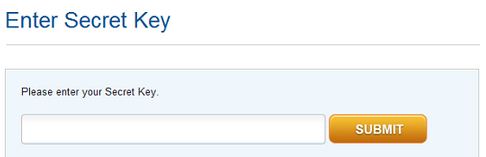
If the person click that link it will ask him/her to Enter the password.( Don’t forget to send the password to your friend. You can send password through Mobile or normal Email )
Note : Password protected mail stores in Lockbin server itself.
















Thank you for your sharing. I am worried that I lack creative ideas. It is your article that makes me full of hope. Thank you. But, I have a question, can you help me? https://accounts.binance.info/de-CH/register?ref=W0BCQMF1
Your point of view caught my eye and was very interesting. Thanks. I have a question for you. https://accounts.binance.info/register-person?ref=JW3W4Y3A
Can you be more specific about the content of your article? After reading it, I still have some doubts. Hope you can help me.
Can you be more specific about the content of your article? After reading it, I still have some doubts. Hope you can help me. https://www.binance.com/register?ref=QCGZMHR6
The CBD aggregation – delta 9 thc gummies offers a variety of formats that suit exceptional preferences, and each undivided feels intimately executed. The lubricant appears unsoiled and compatible, the packaging materials bear sturdy, and the layout is unostentatious till elegant. The products are comfortable to store and travel with, thanks to secure lids and aphoristic sizing. Overall, the maker delivers a proficient and carefully crafted test without unnecessary extras.
Your point of view caught my eye and was very interesting. Thanks. I have a question for you. https://www.binance.com/register?ref=JW3W4Y3A